2021년 5월 7일 금요일

도서리뷰 네번째 : 고성능 파이선(High Performence Python)

한빛미디어 <나는 리뷰어다> 활동을 위해서 책을 제공받아 작성된 서평입니다.


외관은 위와 같은 표지의 책이다.

책에 대한 평을 하기 전에...
대학에서 컴퓨터를 전공하고 J2ME, KVM이 존재하던 시절에 모바일 게임 개발을 시작으로 이런 저런 무선 서비스 개발 및 JAVA기반 서버 프로그램과 스마트폰 앱 개발 등을 해 왔고 지금도 서버쪽 일을 계속 하고 있으며, 대학에서 작년까지 7년간 강의도 해 왔었다.(그 덕에 리뷰어 선정된듯...)

개인적인 배경을 밝히는 이유는 이 책이 무척이나 마음에 들고 좋은 얘기만 주절주절 할거 같은데 학생이나 초급자가 보기엔 좀 어려운 책이라서다.

대학에서 파이썬도 강의를 했었는데 이 경우는 대상이 컴퓨터 전공이 아닌 타 학과 학생들을 대상으로 하는 경우였다.
처음 접해서 배우기 쉽고 라이브러리가 워낙 잘 되어 있기 때문에 처음 프로그래밍을 배우는 사람들에게 적합하기 때문이라고 개인적으로 생각한다.

하지만 이 책은 그런 파이썬에서 그 이상에 대한 이야기를 하고 있다.
파이썬도 C로 만들어 졌고 CPU와 메모리를 통해서 동작을 하고...
결국 스크립트 언어이지만 컴퓨터라는 하드웨어를 이해하고 그 위에서 동작하는 소프트웨어에 대해서 이해하고 이를 바탕으로 더 나은 성능의 프로그램을 만들어 내는 것에 대한 이야기를 하는 책이다.

그래서 난 이책이 무척 마음에 든다.
이런 저런 핑계로, 아니면 업무를 바쁘게 하다보니 언제부턴가 구현에 급급한 상황이 많았는데(솔직히 게을러서...) 책 내용을 훑어보며 개발에 불타오르던 시절을 떠올리게 되었다.

이런저런 핑계로 책에 대한 리뷰는 이렇게 간단하게 적...

책에서 마음에 들지 않는 부분이 있다.
너무 흑백이다. 차트나 그래프, 그림을 보면 원래는 컬러가 아니었을까 싶다.
흑백에다가 회색조로 구분도 잘 안되어서 차트나 그래프, 그림을 이해하거나 알아볼 수 없는 경우가 많다.

그 외에는 마음에 든다.

진지한 파이썬 이후로 재미있게 볼만한 책인것 같다.

좋은 그리고 마음에 드는 책으로 리뷰를 할 수 있게 해준 한빛 출판사에 감사의 말을 전한다.

2021년 4월 3일 토요일

도서리뷰 세번째 : 이것이 데이터 분석이다 with python

먼저 이렇게 생긴 책이다.

이전까지는 리뷰 도서 신청할때 원하는 책의 정보를 조금 찾아보고 신청 했었는데
이번엔 일이 바빠서 그러지 못하고 제목만 보고 신청을 했다.
그게 실수라면 실수일까....

먼저 프로그래밍 초보자를 위한 책은 아니다.
파이썬에 대한 설명은 없다고 봐야 한다.

그렇다고 고급 사용자를 위한 책이라 보기도 조금 힘들거 같다.
사실 떡하니 초급자 책이라고 사이트에 표시가....
난 제목만 보고 중급자 이상일줄....ㅠㅠ

간단히 요약 하면 판다스나 넘파이, matplotlib 등을 활용하여
데이터를 시각화 하고 분석하는데 도움을 줄 수 있도록 하는 수준 까지라고 보면 된다.

웹 크롤링등 데이터 수집을 위해서 사용하는 몇가지 기술들도 공부하는 입장에서는 도움이 될거 같다.

조금 아쉬운점은 데이터베이스와 연동하여 대량의 데이터를 가지고 와서 분석 하거나
대량의 데이터에 대한 분석이나 시각화에 대한것도 좀더 다루었으면 어떨까 하는 점이다.

그래서 초급(초보자가 아니다!)이나 초중급 정도에서 보면 꽤 유용하고 도움이 될 책이란 결론을 내려본다.

파이썬을 어느정도 알고 있다면 쉽게 따라 하면서 활용할수 있는 내용들을 잘 정리해두었다.
특히 데이터 시각화나 분석에서 많이 사용하는 대표적인 라이브러리 세가지에 대해서 다루고 있어서 데이터 분석 관련 입문자 들에게는 좋은 참고 도서가 될거라 생각 한다.

다음번에 리뷰 도서 선택할땐 좀더 사전 정보를 찾아보고 선택해야 할거 같다.
리뷰 할때 하더라도 나에게 도움이 될 수 있는 책을 하면 좋으니...
그런 의미에서 지난번 진지한 파이썬은 꽤 좋은것 같다.

한빛미디어 <나는 리뷰어다> 활동을 위해서 책을 제공받아 작성된 서평입니다.

내돈 내산 제품 후기 2탄 코베아 오토 텐트

올해부터는 캠핑을 좀 다녀볼까 해서 텐트를 구매하였다.
이것 저것 알아 보고 있었는데 코스트코에서 쓸만해 보이는 제품을 싸게 팔길래 덥석....

텐트 치고 걷는데 시간이 오래 걸리는게 불만이었던 와이프게서 계속 강조하시던
오토 텐트 이다.
사이즈를 점검하기 위해서 피칭해보았는데 딱 네식구 잠만 자야 할 사이즈이다 ㅋㅋㅋ

와이프는 저 안에서 밥먹고 다 하는거로 생각 하던데....
난 가지고 있는 타프를 텐트앞에 쳐서 공간을 만들 생각인데...

다좋은데 2주째 주말, 휴일에 비가 오고 있다.

날씨가 도와줘야...ㅠㅠ

2021년 3월 4일 목요일

도서리뷰 두번째 : 처음배우는 플러터

일단 책 표지는 이렇고...

개인적으로 앱 하나를 만드는 프로젝트를 진행 하려 하는데 하는김에 안드로이드와 아이폰 모두 해볼까 해서 플루터에 관심을 두고 있었다.
온라인 자료만으로 해도 되지만 잘 정리된 책 하나 보면서 천천히 해볼까 해서 책을 하나 구매 하였다.
플러터 인 액션....같은 한빛에서 나온거....
그리고 책장에 고이고이 모셔둔지 2~3주가 되어갈 무렵 이 책이 리뷰할 책으로 나에게 왔다.

리뷰라는 강제성이 주어지니 아무래도 책장이 잘 넘어 간다.....( 이 무슨... )

일단 책 두께가 얇다!
IT서적인데 얇다니 이 얼마나 만만해 보이는가 ㅋㅋㅋ

전체적인 평은 일단 쉽다! 이다.
정말 말 그대로 플러터를 처음 접하는 기존 개발자나 새로 배우려는 사람 모두에게 쉬운편이라 생각한다.
쓸데없이 장황 하지도 않고 간결하게 필요한 내용만 잘 전달 해주려 한다는 느낌이다.

그러면서도 앱 개발에 필수적인 항목들도 놓치지않으려 한거 같다는 느낌이다.
물론 이런 기술서적이 공식 레퍼런스들을 기반으로 쓰여지는것이긴 하지만 뭔가 적절한 벨런스를 잡았다는 생각이 드는 책이다.

가볍게 읽고 참고 하면서 개인 프로젝트를 진행 해 나가야겠다.(과연? 언제?)

한빛미디어 <나는 리뷰어다> 활동을 위해서 책을 제공받아 작성된 서평입니다.

2021년 3월 3일 수요일

내돈 내산 제품 후기

캠핑을 가볼까 하고 이런저런 걸 구경하다가 코스트코에서 괜찮아 보이는 걸 팔길래...

그리고 가격도 착한듯 하길래....

정신을 차려보니 배송이 와있었다.

건전지 넣는곳

처음 켰을때

한번 더 눌렀을때

또 한번 더, 이때는 너무 밝아서 뚜껑을 내렸다.

뚜껑 열고도 사용가능하고

아래쪽 고리

우쪽 고리


똑같은 랜턴이 세 개 들어있다.

사진은 없는데 빨간 불빛 점멸 기능도 있다.


꽤 활용도가 좋을 거 같은 제품이다.

2021년 2월 4일 목요일

도서리뷰 : 진지한 파이썬(한빛미디어)

얼마전 한빛미디어에서 도서리뷰어 이벤트를 진행하기에 응모하였다.
그 후에 리뷰어로 선정되었음을 메일로 알려왔고 리뷰를 진행할 여러 책들 중에서 선택하는 과정을 거쳐서 위 책을 받게 되었다.

습관적으로 저자의 인사말과 목차부터 살펴보다가 깨닭은건 초급자를 위한 책은 아니란것이었다.
강의때문에 최근 초급자를 위한 파이썬 책을 몇권 보다보니 의례히 초급자용 책인가 싶었던것 같다.

목차에서 소개한 책의 내용이나 아무 생각없이 읽기 시작한 1장의 내용은 개인적으로 상당히 도움이 될것 같다는 생각을 하게 만들었다.

컴퓨터공학을 전공하고 2003년부터 지금까지 개발일을...물론 몇년 전부터는 관리업무가 더 많긴 하지만...
2014년부터 작년까진 대학에서 강의도 하면서...

그러면서 뭔가 구현에만 급급하고 타성에 빠져서 엉망으로 개발을 해온게 아닌가 하는 생각이 들었다.

1장의 제목이 '프로젝트 시작하기' 이다.
아주 기본적인것들에 대한 내용을 다루는데 여기서부터 반성을 시작하게 된것 같다.
알고는 있었지만 간과하고 대충대충하며 넘어갔던 것들.
물론 파이썬에 특화된 내용을 바탕으로 적혀 있기는 하지만 다른 언어역시 같은 내용들을 모두 가지고 있는 그런 기본에 대한 내용들이었다.

아직 책을 다 읽어보지는 못했다.

이후 다루는 내용들이 문서화와 모범 API사례, 배포, 단위테스트, 성능과 최적화...
계속해서 읽어 가면서 더 반성을 하게 되지 않을까 생각한다.

요약해보자면
파이썬 입문자 또는 초심자를 위한 책은 아님.
분명히 개발 경험이나 어느정도의 사전지식이 필요.
중급자 또는 중급으로 넘어가려는 단계에서는 꽤 도움이 될만한 책.
파이썬을 배웠고 파이썬으로 프로젝트를 해보적이 있다면, 파이썬으로 좀더 좋은 프로그램을 만들기 위해서 어떻게 해야 할지에 대한 고민을 덜어 줄 수 있는 책.

일단 여기까지 쓰고...
책을 마저 읽어보고 나서 리뷰 내용을 좀더 생각해 보는것이 좋을것 같다.

2021년 1월 29일 금요일

Android Bluetooth serial socket 통신

디바이스와 modbus통신을 위해서 소캣통신을 구현해야 했다.

구글링해서 github에서 구한 소스를 조금 고쳐서 사용하는 것으로 해결 했다.


먼저 SerialSocket.java

package com...;

import android.app.Activity;
import android.bluetooth.BluetoothDevice;
import android.bluetooth.BluetoothSocket;
import android.content.BroadcastReceiver;
import android.content.Context;
import android.content.Intent;
import android.content.IntentFilter;

import java.io.IOException;
import java.security.InvalidParameterException;
import java.util.Arrays;
import java.util.UUID;
import java.util.concurrent.Executors;

public class SerialSocket implements Runnable {

    private static final UUID BLUETOOTH_SPP = UUID.fromString("00001101-0000-1000-8000-00805F9B34FB");

    private final BroadcastReceiver disconnectBroadcastReceiver;

    private Context context;
    private SerialListener listener;
    private BluetoothDevice device;
    private BluetoothSocket socket;
    private boolean connected;

    public SerialSocket(Context context, BluetoothDevice device) {
        if(context instanceof Activity)
            throw new InvalidParameterException("expected non UI context");
        this.context = context;
        this.device = device;
        disconnectBroadcastReceiver = new BroadcastReceiver() {
            @Override
            public void onReceive(Context context, Intent intent) {
                if(listener != null)
                    listener.onSerialIoError(new IOException("background disconnect"));
                disconnect(); // disconnect now, else would be queued until UI re-attached
            }
        };
    }

    String getName() {
        return device.getName() != null ? device.getName() : device.getAddress();
    }

    /**
     * connect-success and most connect-errors are returned asynchronously to listener
     */
    public void connect(SerialListener listener) throws IOException {
        this.listener = listener;
        context.registerReceiver(disconnectBroadcastReceiver, new IntentFilter(Constants.INTENT_ACTION_DISCONNECT));
        Executors.newSingleThreadExecutor().submit(this);
    }

    public void disconnect() {
        listener = null; // ignore remaining data and errors
        // connected = false; // run loop will reset connected
        if(socket != null) {
            try {
                socket.close();
            } catch (Exception ignored) {
            }
            socket = null;
        }
        try {
            context.unregisterReceiver(disconnectBroadcastReceiver);
        } catch (Exception ignored) {
        }
    }

    public void write(byte[] data) throws IOException {
        if (!connected)
            throw new IOException("not connected");
        socket.getOutputStream().write(data);
    }

    @Override
    public void run() { // connect & read
        try {
            socket = device.createRfcommSocketToServiceRecord(BLUETOOTH_SPP);
            socket.connect();
            if(listener != null)
                listener.onSerialConnect();
        } catch (Exception e) {
            if(listener != null)
                listener.onSerialConnectError(e);
            try {
                socket.close();
            } catch (Exception ignored) {
            }
            socket = null;
            return;
        }
        connected = true;
        try {
            byte[] buffer = new byte[1024];
            int len;
            //noinspection InfiniteLoopStatement
            while (true) {
                len = socket.getInputStream().read(buffer);
                byte[] data = Arrays.copyOf(buffer, len);
                if(listener != null)
                    listener.onSerialRead(data);
            }
        } catch (Exception e) {
            connected = false;
            if (listener != null)
                listener.onSerialIoError(e);
            try {
                socket.close();
            } catch (Exception ignored) {
            }
            socket = null;
        }
    }

}


SerialService.java

package com...;

import android.app.Notification;
import android.app.NotificationChannel;
import android.app.NotificationManager;
import android.app.PendingIntent;
import android.app.Service;
import android.content.Context;
import android.content.Intent;
import android.os.Binder;
import android.os.Build;
import android.os.Handler;
import android.os.IBinder;
import android.os.Looper;

import androidx.annotation.Nullable;
import androidx.core.app.NotificationCompat;

import java.io.IOException;
import java.util.LinkedList;
import java.util.Queue;

/**
 * create notification and queue serial data while activity is not in the foreground
 * use listener chain: SerialSocket -> SerialService -> UI fragment
 */
public class SerialService extends Service implements SerialListener {

    public class SerialBinder extends Binder {
        public SerialService getService(){
            return SerialService.this;
        }
    }

    private enum QueueType {Connect, ConnectError, Read, IoError}

    private class QueueItem {
        QueueType type;
        byte[] data;
        Exception e;

        QueueItem(QueueType type, byte[] data, Exception e) { this.type=type; this.data=data; this.e=e; }
    }

    private final Handler mainLooper;
    private final IBinder binder;
    private final Queue<QueueItem> queue1, queue2;

    private SerialSocket socket;
    private SerialListener listener;
    private boolean connected;

    /**
     * Lifecylce
     */
    public SerialService() {
        mainLooper = new Handler(Looper.getMainLooper());
        binder = new SerialBinder();
        queue1 = new LinkedList<>();
        queue2 = new LinkedList<>();
    }

    @Override
    public void onDestroy() {
        cancelNotification();
        disconnect();
        super.onDestroy();
    }

    @Nullable
    @Override
    public IBinder onBind(Intent intent) {
        return binder;
    }

    /**
     * Api
     */
    public void connect(SerialSocket socket) throws IOException {
        socket.connect(this);
        this.socket = socket;
        connected = true;
    }

    public void disconnect() {
        connected = false; // ignore data,errors while disconnecting
        cancelNotification();
        if(socket != null) {
            socket.disconnect();
            socket = null;
        }
    }

    public void write(byte[] data) throws IOException {
        if(!connected)
            throw new IOException("not connected");
        socket.write(data);
    }

    public void attach(SerialListener listener) {
        if(Looper.getMainLooper().getThread() != Thread.currentThread())
            throw new IllegalArgumentException("not in main thread");
        cancelNotification();
        // use synchronized() to prevent new items in queue2
        // new items will not be added to queue1 because mainLooper.post and attach() run in main thread
        synchronized (this) {
            this.listener = listener;
        }
        for(QueueItem item : queue1) {
            switch(item.type) {
                case Connect:       listener.onSerialConnect      (); break;
                case ConnectError:  listener.onSerialConnectError (item.e); break;
                case Read:          listener.onSerialRead         (item.data); break;
                case IoError:       listener.onSerialIoError      (item.e); break;
            }
        }
        for(QueueItem item : queue2) {
            switch(item.type) {
                case Connect:       listener.onSerialConnect      (); break;
                case ConnectError:  listener.onSerialConnectError (item.e); break;
                case Read:          listener.onSerialRead         (item.data); break;
                case IoError:       listener.onSerialIoError      (item.e); break;
            }
        }
        queue1.clear();
        queue2.clear();
    }

    public void detach() {
        if(connected)
            createNotification();
        // items already in event queue (posted before detach() to mainLooper) will end up in queue1
        // items occurring later, will be moved directly to queue2
        // detach() and mainLooper.post run in the main thread, so all items are caught
        listener = null;
    }

    private void createNotification() {
//        if (Build.VERSION.SDK_INT >= Build.VERSION_CODES.O) {
//            NotificationChannel nc = new NotificationChannel(Constants.NOTIFICATION_CHANNEL, "Background service", NotificationManager.IMPORTANCE_LOW);
//            nc.setShowBadge(false);
//            NotificationManager nm = (NotificationManager) getSystemService(Context.NOTIFICATION_SERVICE);
//            nm.createNotificationChannel(nc);
//        }
//        Intent disconnectIntent = new Intent()
//                .setAction(Constants.INTENT_ACTION_DISCONNECT);
//        Intent restartIntent = new Intent()
//                .setClassName(this, Constants.INTENT_CLASS_MAIN_ACTIVITY)
//                .setAction(Intent.ACTION_MAIN)
//                .addCategory(Intent.CATEGORY_LAUNCHER);
//        PendingIntent disconnectPendingIntent = PendingIntent.getBroadcast(this, 1, disconnectIntent, PendingIntent.FLAG_UPDATE_CURRENT);
//        PendingIntent restartPendingIntent = PendingIntent.getActivity(this, 1, restartIntent,  PendingIntent.FLAG_UPDATE_CURRENT);
//        NotificationCompat.Builder builder = new NotificationCompat.Builder(this, Constants.NOTIFICATION_CHANNEL)
//                .setSmallIcon(R.drawable.ic_notification)
//                .setColor(getResources().getColor(R.color.colorPrimary))
//                .setContentTitle(getResources().getString(R.string.app_name))
//                .setContentText(socket != null ? "Connected to "+socket.getName() : "Background Service")
//                .setContentIntent(restartPendingIntent)
//                .setOngoing(true)
//                .addAction(new NotificationCompat.Action(R.drawable.ic_clear_white_24dp, "Disconnect", disconnectPendingIntent));
//        // @drawable/ic_notification created with Android Studio -> New -> Image Asset using @color/colorPrimaryDark as background color
//        // Android < API 21 does not support vectorDrawables in notifications, so both drawables used here, are created as .png instead of .xml
//        Notification notification = builder.build();
//        startForeground(Constants.NOTIFY_MANAGER_START_FOREGROUND_SERVICE, notification);
    }

    private void cancelNotification() {
        stopForeground(true);
    }

    /**
     * SerialListener
     */
    public void onSerialConnect() {
        if(connected) {
            synchronized (this) {
                if (listener != null) {
                    mainLooper.post(() -> {
                        if (listener != null) {
                            listener.onSerialConnect();
                        } else {
                            queue1.add(new QueueItem(QueueType.Connect, null, null));
                        }
                    });
                } else {
                    queue2.add(new QueueItem(QueueType.Connect, null, null));
                }
            }
        }
    }

    public void onSerialConnectError(Exception e) {
        if(connected) {
            synchronized (this) {
                if (listener != null) {
                    mainLooper.post(() -> {
                        if (listener != null) {
                            listener.onSerialConnectError(e);
                        } else {
                            queue1.add(new QueueItem(QueueType.ConnectError, null, e));
                            cancelNotification();
                            disconnect();
                        }
                    });
                } else {
                    queue2.add(new QueueItem(QueueType.ConnectError, null, e));
                    cancelNotification();
                    disconnect();
                }
            }
        }
    }

    public void onSerialRead(byte[] data) {
        if(connected) {
            synchronized (this) {
                if (listener != null) {
                    mainLooper.post(() -> {
                        if (listener != null) {
                            listener.onSerialRead(data);
                        } else {
                            queue1.add(new QueueItem(QueueType.Read, data, null));
                        }
                    });
                } else {
                    queue2.add(new QueueItem(QueueType.Read, data, null));
                }
            }
        }
    }

    public void onSerialIoError(Exception e) {
        if(connected) {
            synchronized (this) {
                if (listener != null) {
                    mainLooper.post(() -> {
                        if (listener != null) {
                            listener.onSerialIoError(e);
                        } else {
                            queue1.add(new QueueItem(QueueType.IoError, null, e));
                            cancelNotification();
                            disconnect();
                        }
                    });
                } else {
                    queue2.add(new QueueItem(QueueType.IoError, null, e));
                    cancelNotification();
                    disconnect();
                }
            }
        }
    }

}

SerialListener.java

package com....;

public interface SerialListener {
    void onSerialConnect      ();
    void onSerialConnectError (Exception e);
    void onSerialRead         (byte[] data);
    void onSerialIoError      (Exception e);
}


마지막으로 실제 사용 예시

package com...

import android.bluetooth.BluetoothAdapter
import android.bluetooth.BluetoothDevice
import android.content.ComponentName
import android.content.Context
import android.content.Intent
import android.content.ServiceConnection
import android.os.Bundle
import android.os.IBinder
import android.util.Log
import android.widget.Button
import android.widget.Toast
import androidx.appcompat.app.AppCompatActivity
import com...SerialListener
import com...SerialService
import com...SerialSocket
import com...CRC16Modbus
import com...TextUtil

const val STATE_SETTING = 1
const val STATE_MEASURE = 2
const val STATE_SET_VALUE = 3

class DataRelayActivityV2 : AppCompatActivity(), ServiceConnection, SerialListener {

    enum class Connected { False, Pending, True }

    lateinit var device: BluetoothDevice
    lateinit var deviceAddress: String
    private var service: SerialService? = null //SerialService()
    private var connected: Connected = Connected.False
    var initialStart: Boolean = true

    private val newline = TextUtil.newline_crlf

    lateinit var btnSetting: Button
    lateinit var btnMeasure: Button
    lateinit var btnSendSetting: Button

    val requestSetting: String = "0103000000384418"
    val requestMeasure: String = "010400000014F005"
    var requestSetVaule: String = "0106"

    override fun onCreate(savedInstanceState: Bundle?) {
        super.onCreate(savedInstanceState)
        setContentView(R.layout.activity_data_relay_v2)

        device = intent.getParcelableExtra("device")!!
        deviceAddress = intent.getStringExtra("deviceAddress").toString()

        init()
    }

    private fun init() {
        btnSetting = findViewById(R.id.btn_setting)
        btnSetting.setOnClickListener {
            send(requestSetting)
        }

        btnMeasure = findViewById(R.id.btn_measure)
        btnMeasure.setOnClickListener {
            send(requestMeasure)
        }

        btnSendSetting = findViewById(R.id.btn_send_setting)
        btnSendSetting.setOnClickListener {
            val crcCRC16Modbus: CRC16Modbus = CRC16Modbus()
            var cmd: String = "010600000002"
            var nCmd: IntArray = intArrayOf(0x01, 0x06, 0x00, 0x00, 0x00, 0x02)
            var sCmd: String = ""
            for (i in (nCmd.indices)) {
                sCmd += String.format("%02X", nCmd[i].toByte())
            }
            Log.d("TEST", "sCmd = $sCmd")
            // Command value
            var crc: ByteArray = crcCRC16Modbus.getCRC16Modbus(nCmd)
            sCmd += String.format("%02X", crc[0])
            sCmd += String.format("%02X", crc[1])
            Log.d("TEST", "after sCmd = $sCmd")
            Log.d("TEST", "toHexString = " + TextUtil.toHexString(crc))
        }
//        connect()
    }

    private fun connect() {
        Log.d("TEST", "connect called !!!")
        try {
            val btAdapter: BluetoothAdapter = BluetoothAdapter.getDefaultAdapter()
            val device: BluetoothDevice = btAdapter.getRemoteDevice(deviceAddress)
            Log.d("TEST", "device address = $deviceAddress")
            showToast("Connecting....")
            connected = Connected.Pending
            val socket = SerialSocket(this.applicationContext, device)
            service?.connect(socket)
        } catch (e: Exception) {
            onSerialConnectError(e)
        }
    }

    private fun disconnect() {
        connected = Connected.False
        service?.disconnect()
    }

    private fun send(str: String) {
        var data: ByteArray
        var msg: String
        if (connected == Connected.True) {
            var sb: StringBuilder = StringBuilder()
            TextUtil.toHexString(sb, TextUtil.fromHexString(str))
//            TextUtil.toHexString(sb, newline.toByteArray())
            msg = sb.toString()
            data = TextUtil.fromHexString(msg)
            Log.d("TEST", "send data = $msg")
            service?.write(data)
        } else {
            showToast("Not Connected")
        }
    }

    override fun onDestroy() {
        if (connected != Connected.False)
            disconnect()
        this.stopService(Intent(this, SerialService::class.java))
        super.onDestroy()
    }

    override fun onStart() {
        super.onStart()
        Log.d("TEST", "onStart Called !!!")
        if (service != null) {
            Log.d("TEST", "on start service is not null !!!")
            service?.attach(this)
        } else {
            Log.d("TEST", "on start service is null !!!")
//            startService(Intent( this, SerialService::class.java))
            Intent(this, SerialService::class.java).also { intent ->
                bindService(intent, this, Context.BIND_AUTO_CREATE)
            }
        }
    }

    override fun onStop() {
        if (service != null && !this.isChangingConfigurations) {
            service!!.detach()
        }
        super.onStop()
    }

    private fun receive(data: ByteArray): String {
        Log.d("TEST", "received called !!!")
        Log.d("TEST", "data = " + TextUtil.toHexString(data))
        return TextUtil.toHexString(data)
    }

//    fun onAttach(context: Context){
//        Log.d("TEST", "on Attach Called !!!")
//        super.onAttachedToWindow()
//        this.bindService(Intent(context, SerialService::class.java), this, Context.BIND_AUTO_CREATE)
//    }
//
//    fun onDetach(){
//        try{
//            this.unbindService(this)
//        } catch (e: Exception){
//            e.printStackTrace()
//        }
//        super.onDetachedFromWindow()
//    }

    override fun onResume() {
        super.onResume()
        if (initialStart && service != null) {
            initialStart = false
//            this.runOnUiThread(this::connect)
            runOnUiThread { connect() }
        }
    }

    override fun onServiceConnected(p0: ComponentName?, p1: IBinder?) {
        Log.d("TEST", "on Service Connected called !!!")
//        service =  (p1 as SerialService.SerialBinder).service
//        service = ((SerialService.SerialBinder) p1).getService()
        val binder = p1 as SerialService.SerialBinder
        service = binder.service
        service?.attach(this)
        if (initialStart) { // && isResumed()
            initialStart = false;
//            this.runOnUiThread(this::connect)
            runOnUiThread {
                connect()
            }
        }
    }

    override fun onServiceDisconnected(p0: ComponentName?) {
//        service = null
    }

    override fun onSerialConnect() {
        showToast("connected")
        connected = Connected.True
    }

    override fun onSerialConnectError(e: java.lang.Exception?) {
        if (e != null) {
            showToast("Connection failed! " + e.message.toString())
            e.printStackTrace()
        }
    }

    override fun onSerialRead(data: ByteArray?) {
        Log.d("TEST", "on Serial Read called !!!")
        if (data != null) {
            receive(data)
        }
    }

    override fun onSerialIoError(e: java.lang.Exception?) {
        if (e != null) {
            e.printStackTrace()
            showToast("Connection lost! " + e.message)
        }
    }

    private fun showToast(msg: String) {
        Toast.makeText(this, msg, Toast.LENGTH_SHORT).show()
    }
}

어쩌다가 역대급 긴 글이 된듯...

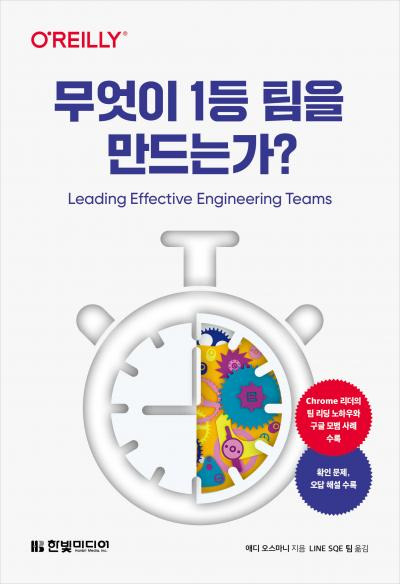
2024년 여섯번째 도서 리뷰 [무엇이 1등 팀을 만드는가]

한빛미디어 <나는 리뷰어다> 활동을 위해서 책을 제공받아 작성된 서평입니다. 올해의 마지막 서평이다. 무엇이 1등 팀을 만드는가.... 시작하기에 앞서 제목이 과하지 않은가 하는 생각이 든다. 1등 팀이라....예전 어느 개그 프로에서 ...